The Bouncing Ball: Animation with POKE
THE BOUNCING BALL
- Type
- Graphics
- Language
- Commodore BASIC V2
- Length
- 30 lines · 4 blocks (956 bytes)
- Keys
- + faster, - slower, Q quits
- Special keys
- None
The simplest way to move something on the C64 screen: POKE a ball into screen memory, rub out the old one, and do it again one step further on. This ball bounces off all four edges, changes colour every time it hits one, plays a note on the SID and keeps count. You can speed it up and slow it down while it runs.
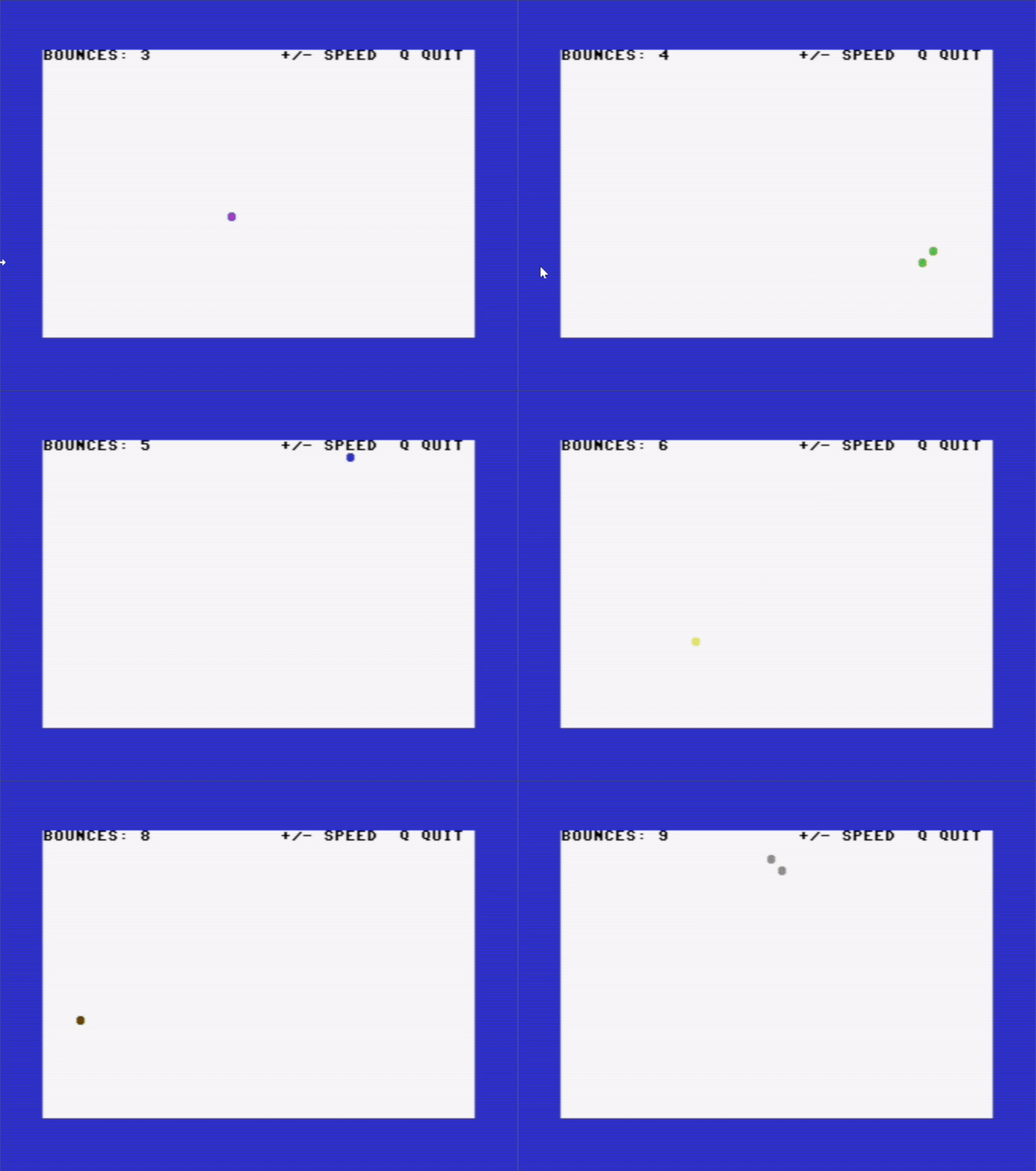 |
| Recorded in VICE. Every bounce brings a new colour and a note. Now and then you may catch two balls for an instant: the new one is drawn just before the old one is erased. |
The listing
Type every letter without SHIFT. Click each line as you finish it to tick it off, or press ↓ .PRG for the finished program.
How it works
| Lines | Block |
|---|---|
| 100–150 | Setup: addresses, colours, the SID, a random start, the status line |
| 200–310 | Main loop: draw, erase, keys, wait, bounce, move |
| 500–550 | Subroutine: what happens on a bounce |
| 900–920 | Quit |
Line 100: three addresses
The program keeps three addresses in variables. SC=1024 is the start of screen memory: 1,000 bytes, one for each of the 40×25 character cells. CM=55296 is colour memory, another 1,000 cells, one colour for each character. SD=54272 is the first register of the SID, the C64's sound chip.
| Memory | Starts at | Holds |
|---|---|---|
| Screen memory | 1024 | which character is in each cell |
| SID registers | 54272 | sound |
| Colour memory | 55296 | the colour of each cell |
A curiosity of the memory map: 55296 − 1024 = 54272. The distance from screen memory to colour memory is exactly the SID's address. Many old listings used that to save a variable; this one keeps the three apart so each line says what it means.
Lines 110–150: setting the stage
Blue border, white background, clear screen, black text. Line 120 zeroes all 25 SID registers, turns the volume up and gives voice 1 a short decay with no sustain, so every note fades out on its own. The ball starts on a random cell, away from the edges, heading down and to the left or right. Row 0 is kept for the status line, so the ball moves only on rows 1 to 24.
Line 210: drawing with POKE
P=SC+40*Y+X is the address of the cell in row Y, column X: 40 cells per row. POKE P,81 puts a filled circle there and the second POKE gives it its colour. Note that 81 is a screen code, not a PETSCII code. The same circle is CHR$(113) when you PRINT it, as in ZARIA; POKE into screen memory uses a different numbering.
Lines 220–230: draw first, erase second
Q remembers where the ball was. The new ball is drawn before the old one is erased with a space (screen code 32), so there is never a moment with no ball on the screen. The C64 redraws the picture 50 times a second (60 in NTSC) whatever the program is doing. If the program erased first and drew second, the VIC-II would sometimes catch the screen in between and the ball would flicker. On the very first pass Q is 0 and there is nothing to erase.
Lines 240–270: keys and speed
GET does not wait, so the ball keeps moving whether you press anything or not. + shortens the pause of line 270 by 5 (down to none at all) and - lengthens it. With DL at 0 you see how fast BASIC V2 really is.
Lines 280–310: looking ahead
Before moving, the program checks where the ball would go. If the next column is off the screen, the horizontal direction flips and H becomes 1; if the next row is, the vertical direction flips and H becomes 2. In BASIC any value other than 0 counts as true, so IF H THEN GOSUB 500 plays the bounce. Checking first means the ball never steps outside the screen, not even for one frame.
Lines 500–550: the bounce
- Colour:
COruns through the 16 colours, skipping 1, which is white and would vanish on a white background. - Sound: 0 into register 4 closes the gate, the frequency is set, and 17 opens the gate again with the triangle waveform: a soft “plink”.
10*H+5makes the side walls (15) sound lower than the floor and ceiling (25), so you can hear which edge the ball hit. - Counter: the cursor goes home and the count is printed over the old one.
Try this
- Another shape: change 81 in line 210 to 83 for a heart, 90 for a diamond or 87 for a hollow circle.
- A trail: delete line 220 and the ball paints its whole path, in a new colour after every bounce.
- Another sound: change 17 in line 530 to 33 for a sawtooth, or 129 for a burst of noise.
- Flicker on purpose: swap the order, erasing before drawing, and set the speed to full with +. Watch the ball closely.
Run it
Press ↓ .PRG on the listing and drop the file on a VICE window. Source and program are also on GitHub.
With the sound on, you can hear which wall the ball hit:
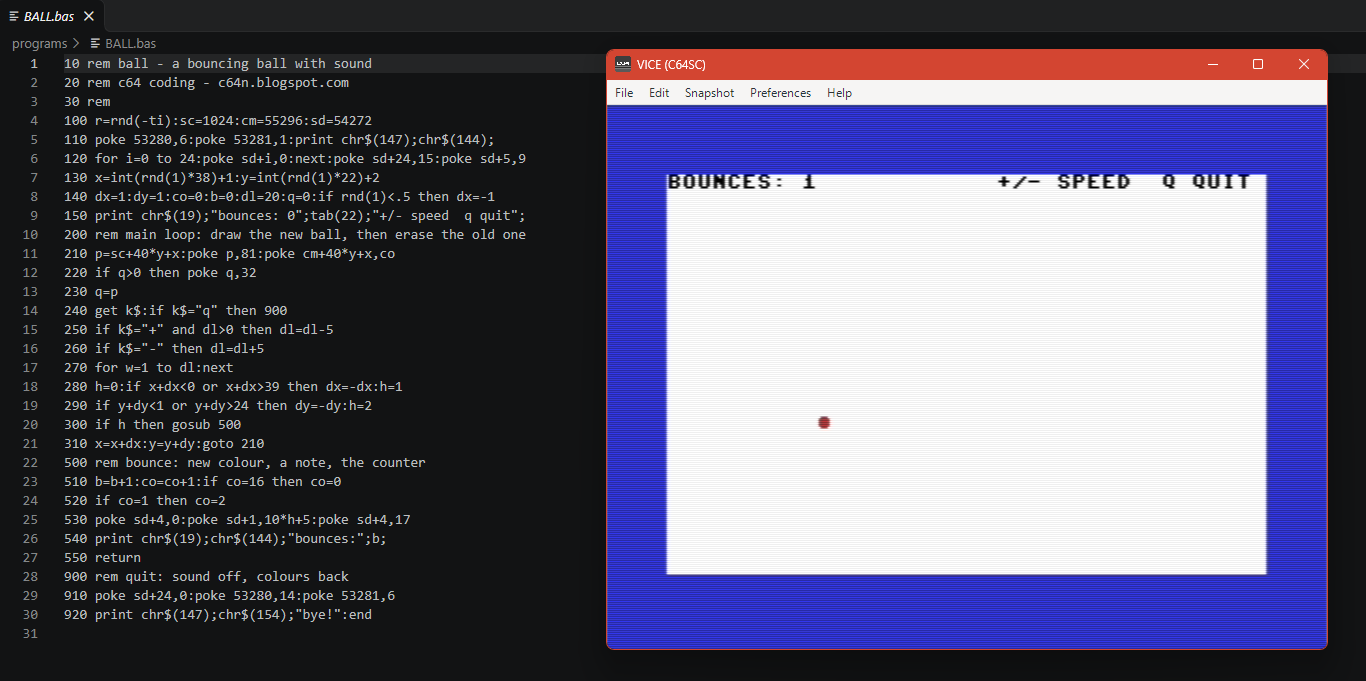 |
| In the lab: BALL.bas in VS Code, and VICE running it. |
Comments
Post a Comment